For affiliates and JV partners
Promote working offline business apps your readers can test before they pay
75 percent on the front-end and 50 percent on every other offer in the funnel. No income claims, no fake countdowns, no invented reviews: a real product with a live demo for every app.
- 75 percent on Offline Apps Fortune at $17
- 50 percent on every upsell and on the downsell
- A live demo for every app on the sales page
- A 30 day refund on every offer, so buyers can try it and still change their mind
On WarriorPlus. The owner approves requests there.
- Sold through WarriorPlus
- Affiliate support by email at support@offlineappsfortune.com
- 75 percentcommission on the front-end
- 50 percentcommission on every other offer
- 20apps in the funnel, each with a live demo
- 30 daysrefund window on every offer
What you promote
Offline business apps that buyers rebrand and resell
Offline Apps Fortune is a pack of offline business apps for small trades. Each app is one HTML file. It opens in Chrome, Edge or Firefox on a Windows or Mac computer, needs no login and no internet, and keeps the data on the user's own computer, with backups, a trash and undo.
Buyers get a reseller license. They put their own name, logo and accent color on an app with the rebrand tool, then sell the branded copies under their own brand. The pack includes listing images, listing text and a short promo video for each app, neutral guides, a guide on how to sell them and 4 bonus documents.
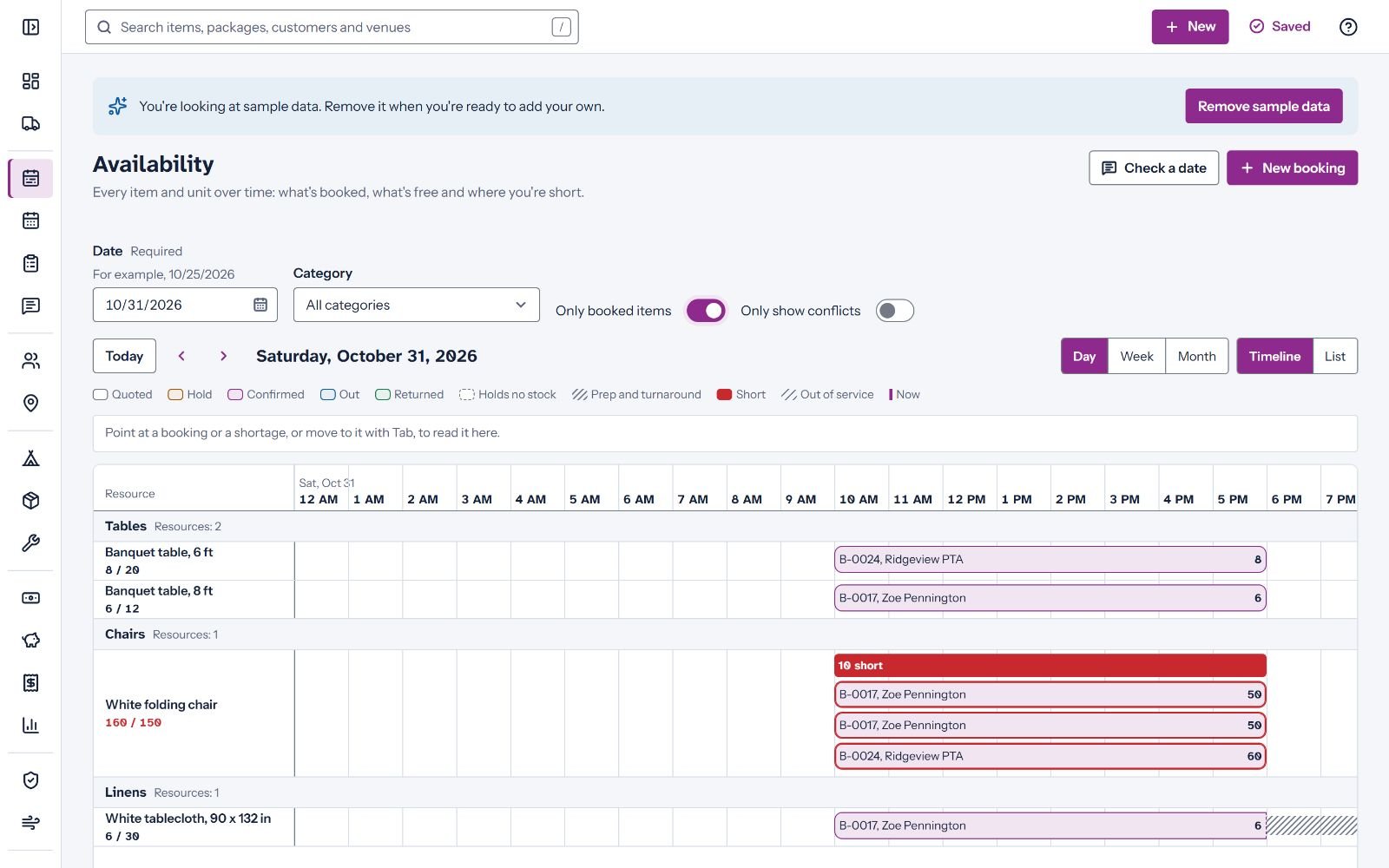
The front-end has 5 apps: for party rentals, home bakeries, pet sitters, small landlords and pressure washing crews. Every app has a live demo on the sales page with a sample business already filled in, so your readers can try the real thing before they decide.
What your readers will see
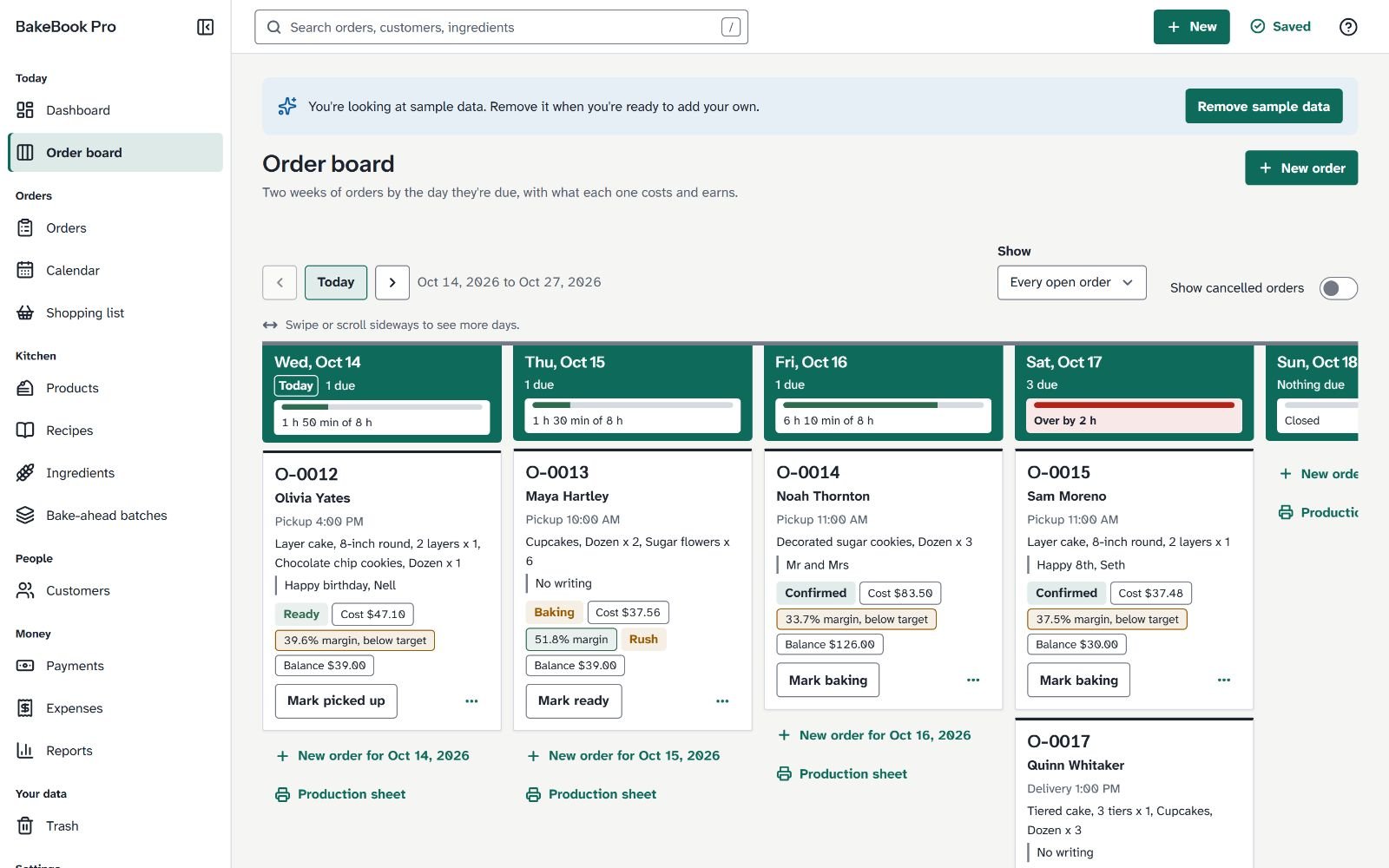
BakeBook Pro: order board 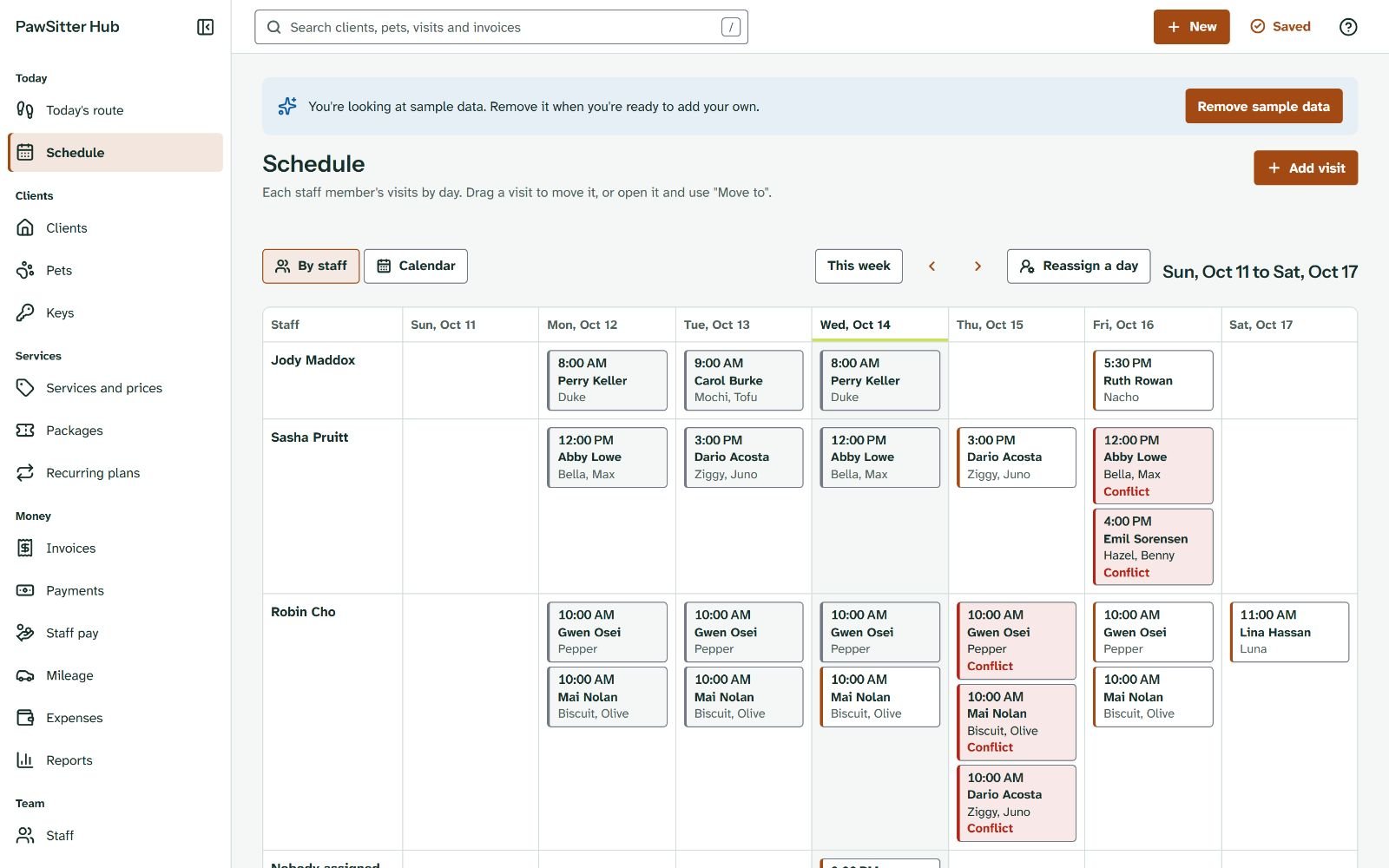
PawSitter Hub: schedule 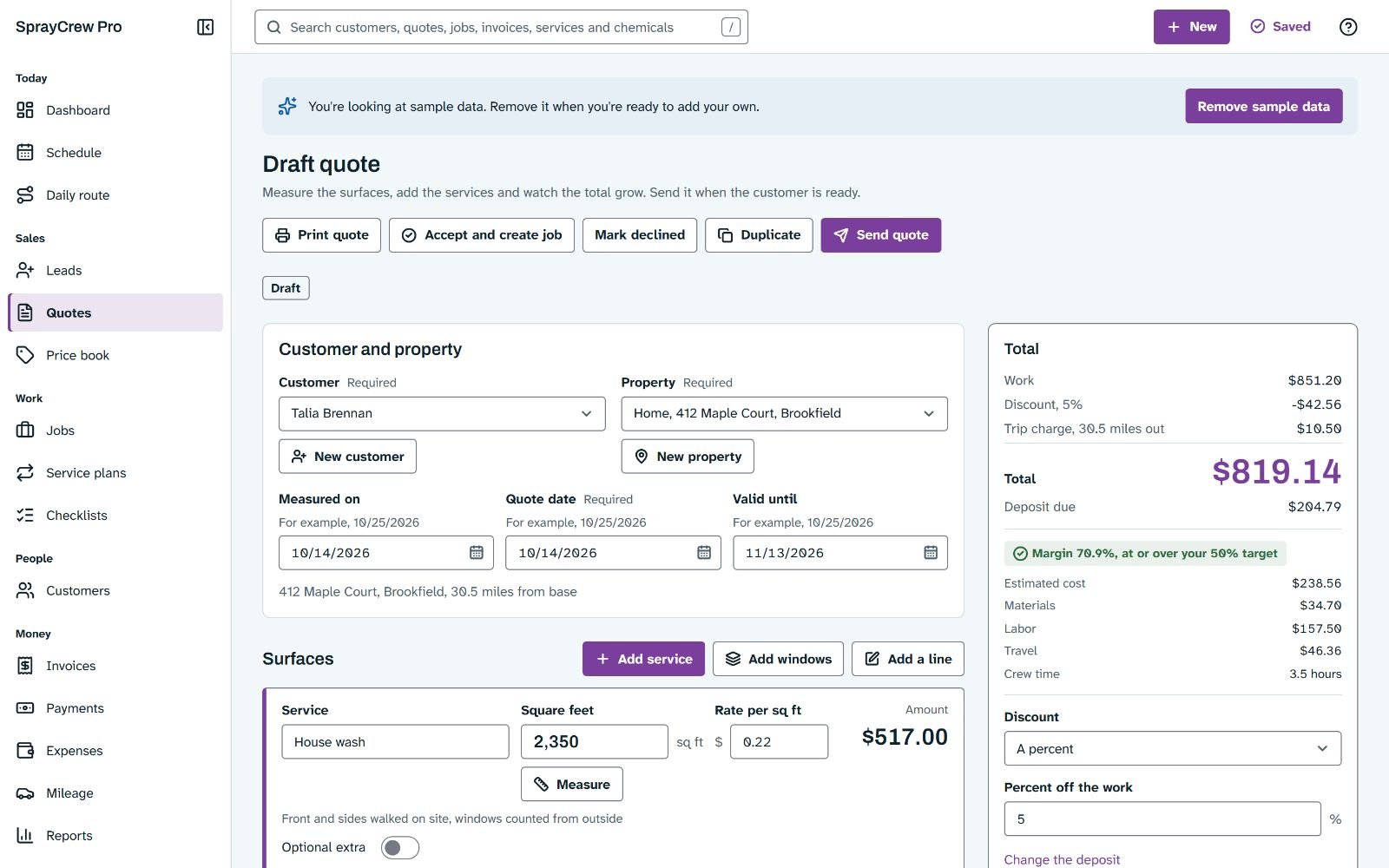
SprayCrew Pro: quote screen
What you can check yourself
Live demo
Every app in the funnel has a live demo on the sales page: the full app with a sample business, running in the browser.
Fact
Each app is one HTML file under 2.5 MB that makes no network requests. The build checks both for every app.
Fact
All the apps run on one engine with shared tests for saving, backup and restore, trash and undo, and accessibility.
Fact
This is our first launch. We have no sales figures, conversion rates or earnings per click to show, and we will not make any up.
The funnel, step by step
Buyers see the offers in this order. Each upsell page has a clear no-thanks link, and every offer has the same 30 day refund.
Front-end: Offline Apps Fortune, $17
5 white-label apps, the rebrand tool, listing materials, neutral guides, the guide on how to sell them, 4 bonuses and the reseller license. You earn 75 percent.
Upsell 1: Offline Apps Fortune PRO, $47
15 more apps with the same materials. One payment, no subscription. You earn 50 percent.
Downsell: PRO Lite, $27
Shown only to buyers who skip upsell 1: 5 of those 15 apps, for contractors, auto repair shops, cleaning businesses, freelancers and event planners. You earn 50 percent.
Upsell 2: Done For You, $97
The owner sets up the buyer's own online store by hand, with branded apps and product pages. You earn 50 percent.
Upsell 3: Agency, $197
An agency license to sell setup and customization to local businesses, with a client kit: service menu, proposal, contract, onboarding, intake form, import guide, invoice wording, outreach scripts, demo plans and a 30 day plan. You earn 50 percent.
Upsell 4: Builder, $297
The kit to build new apps with Claude Code: the engine source, 57 app prompts, PRD outlines, the build lane, a quickstart and a builder license. Buyers need Claude Code, a separate paid tool. You earn 50 percent.
The funnel on one page
Who buys this
People who want to sell software without writing it
Resellers, small agencies, freelancers who serve local businesses, and store owners who want digital products under their own brand. The upgrades add more apps, a done-for-you store, an agency kit and a kit for building new apps.
It suits lists that care about real products. It does not suit readers who want a get-rich promise. The pages make none, and your emails should not either.
The offers, drawn as boxes
Front-end Upsell 1 Upsell 3
Email swipes
Six example emails
These are examples. Rewrite them in your own voice, put your own link where it says [your link], and keep the facts as they are. Every claim in them matches the product.
Please do not add income claims, deadlines or reviews that did not happen. The calendar below suggests a day for each one.
Screens your readers can try in the live demos
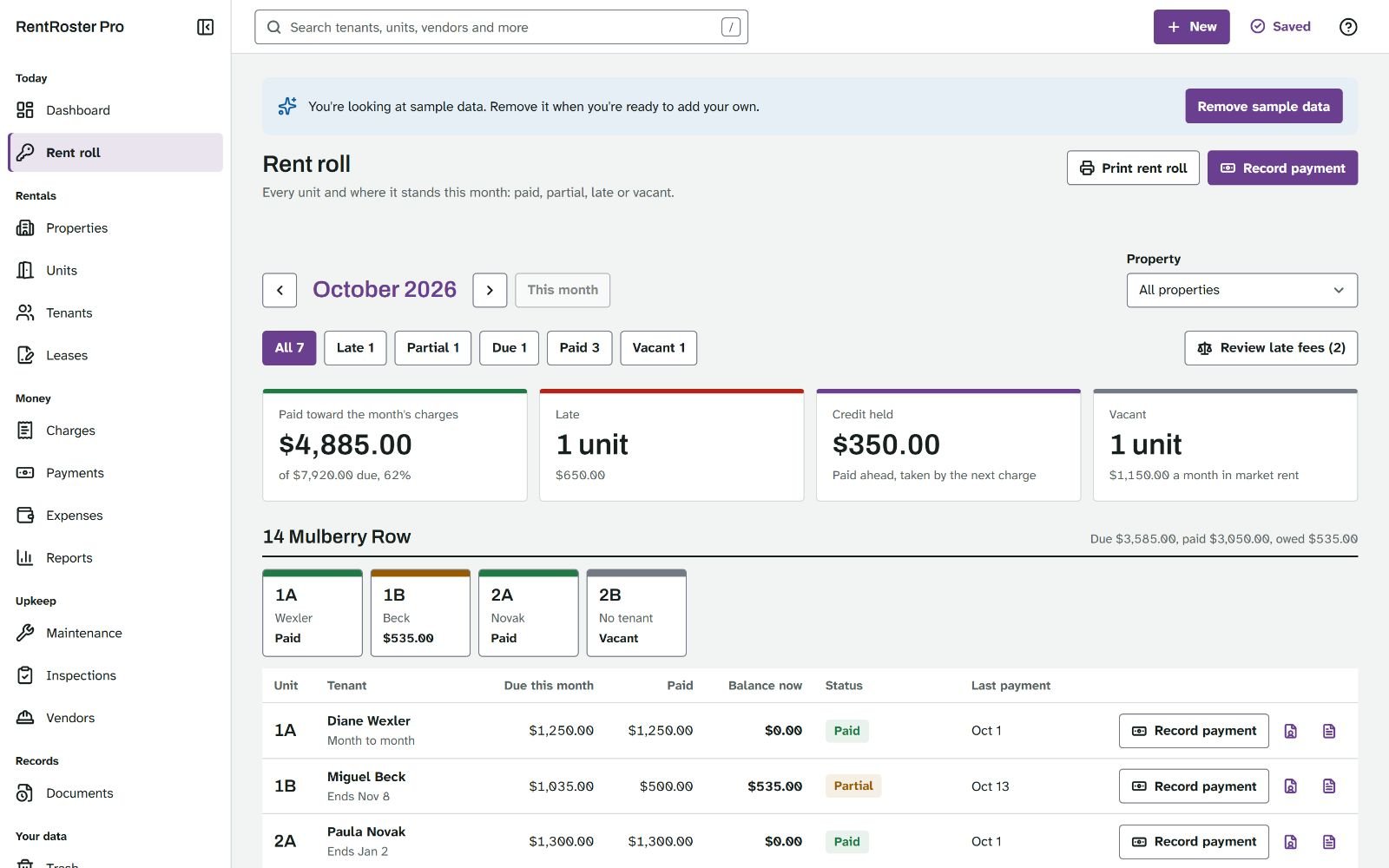
RentRoster Pro: rent roll 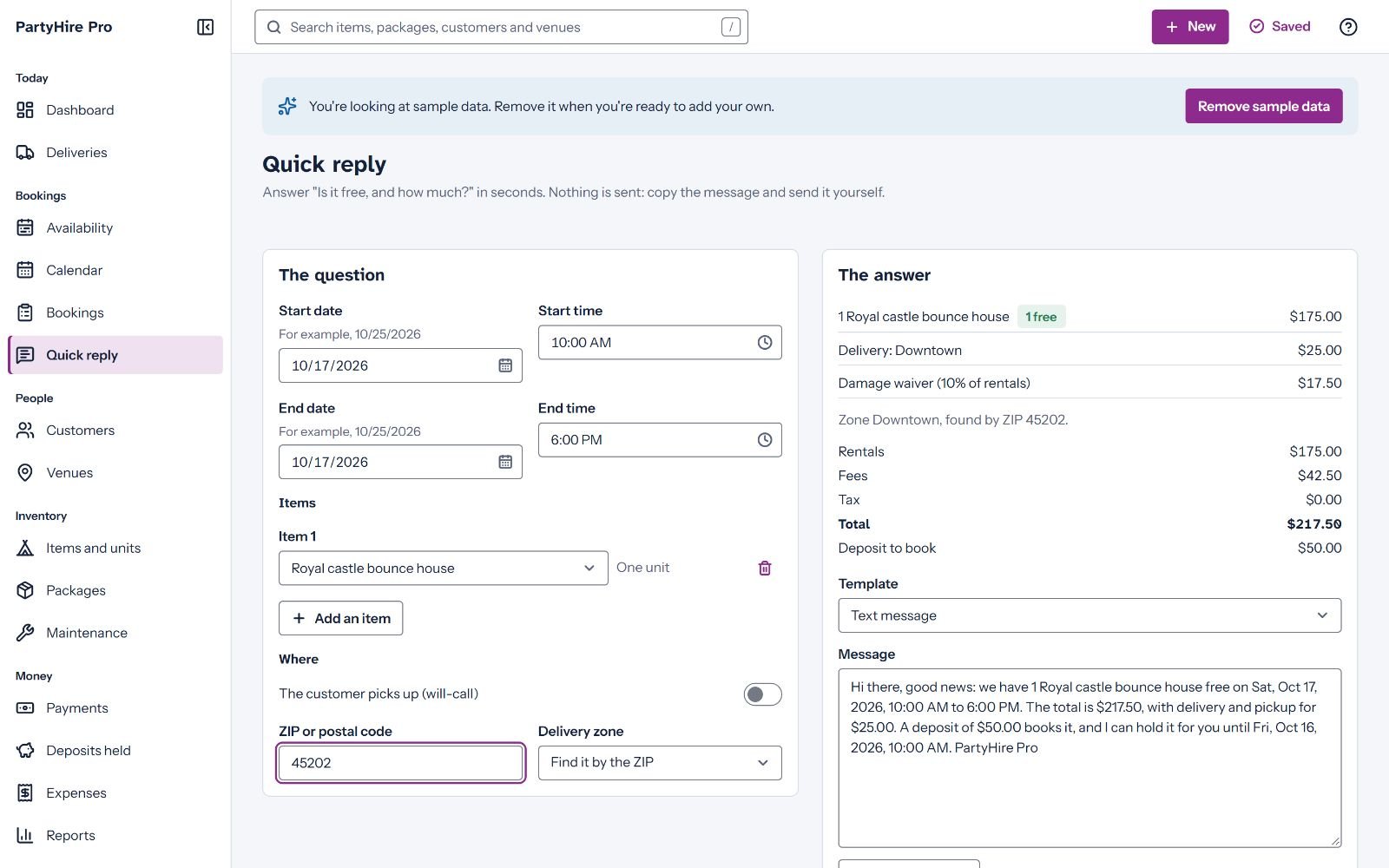
PartyHire Pro: quick reply screen 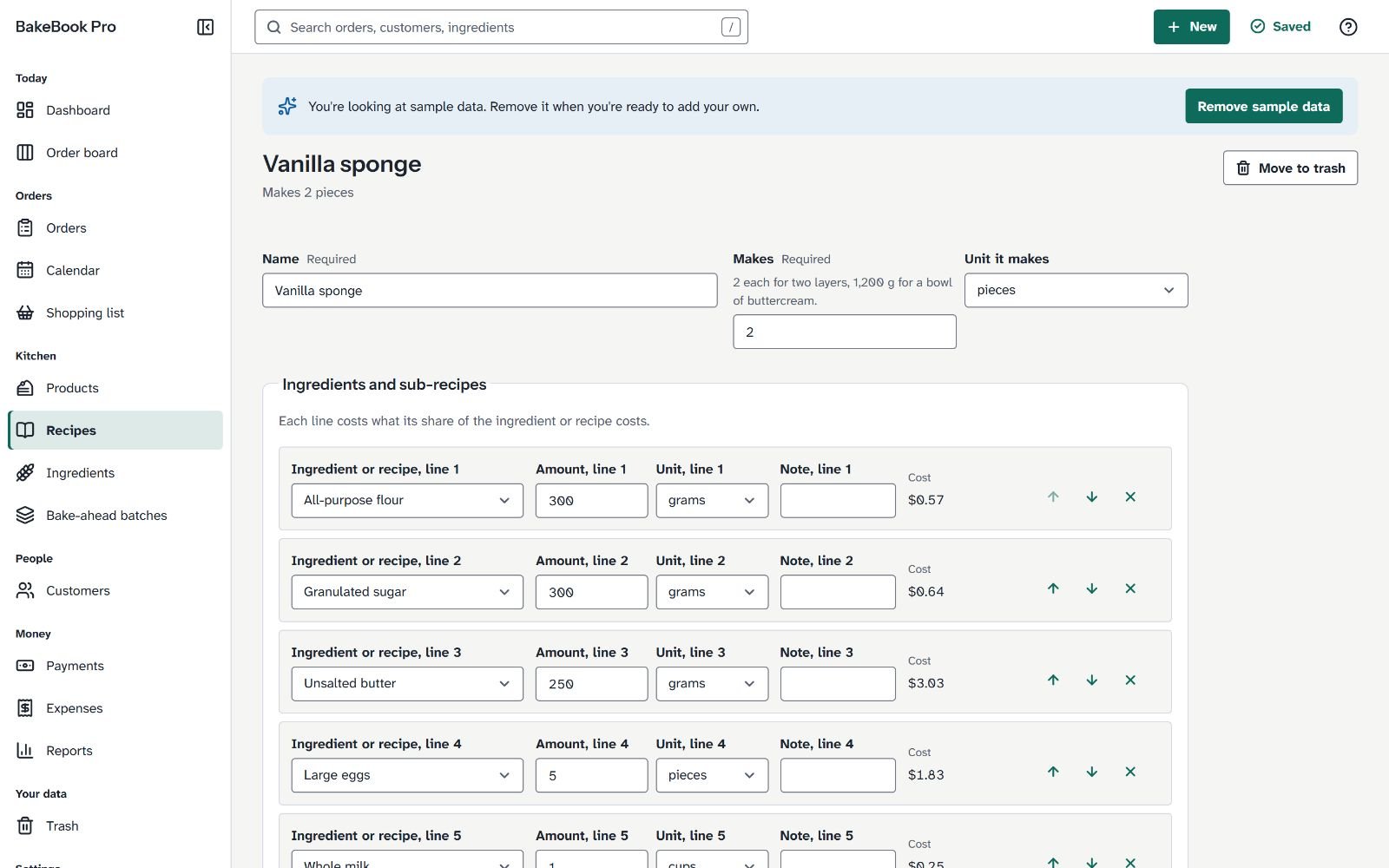
BakeBook Pro: recipe screen
Swipe 1 of 6: launch day
Subject: 5 offline business apps you can rebrand and resell
Other subject: Pay once, works offline: small business apps with a reseller license
Hi [first name],
Offline Apps Fortune is out today. It is a pack of 5 offline business apps for small trades: party rentals, home bakeries, pet sitters, small landlords and pressure washing crews.
Each app is one file. Double-click it and it opens in Chrome, Edge or Firefox on a Windows or Mac computer. No login, no monthly fee and no internet needed. The data stays on the user's own computer, with backups and a trash that keeps deleted records for 30 days.
Here is the part that matters if you sell: the pack comes with a reseller license. You put your own name, logo and accent color on an app, then sell the branded copies under your own brand. Listing images, listing text and guides come with each app.
It costs $17, one payment.
Before you decide, open the live demos on the sales page. Each app runs right in your browser with a sample business filled in:
[your link]
[Your name]
P.S. Read the license on the sales page before you buy. It says what you may and may not do, and that every marketplace has its own rules.
Swipe 2 of 6: the demos
Subject: Try the apps before you pay for them
Other subject: Open it, click around, then decide
Hi [first name],
Yesterday I told you about Offline Apps Fortune. Today, one suggestion: do not buy it yet. Open the demos first.
Every app on the sales page has a live demo button. It opens the real app in your browser, with a sample business already in it. Nothing to install and no email to give.
Try three things. Open the dashboard and one record, such as a booking, an order or a job. Print a document and look at it on A4 or Letter. Then open Settings and look at the backups: the automatic backup file in Chrome and Edge, the daily snapshots and the restore preview.
If it looks like software you would pay for, here is the link:
[your link]
If it does not, close the tab. That is what the demos are for.
[Your name]
Swipe 3 of 6: the rebrand
Subject: How the rebrand works, step by step
Other subject: Your logo on a working business app
Hi [first name],
A few people asked how the rebranding in Offline Apps Fortune works. Here it is.
1. Open the app file in Chrome or Edge.
2. Go to Settings, then Advanced, then Rebrand this app.
3. Type your product name, add your logo, pick your accent color and a font, and fill in your Made by line and your support email.
4. Click Download branded copy. You get a new file with your brand on it, and it works offline like the original.
5. Test it, then sell it under your own brand.
The guide in the pack puts this at about 10 minutes per app.
The license is clear about the limits. You sell the compiled, branded apps to your own customers. You do not get the source code, and you cannot resell the resale right. Every marketplace has its own rules, so check them before you list.
[your link]
[Your name]
Swipe 4 of 6: the trades
Subject: What a pet sitter, a baker and a landlord have in common
Other subject: 5 small business apps, one payment
Hi [first name],
Small trades need many of the same basics: customers, a calendar, money in and out, and documents to print. The apps in Offline Apps Fortune wrap those basics around the work of each trade.
Party rentals: see what is free on a date, plan the delivery runs and track deposits.
Home bakeries: an order board, recipes, ingredient stock and a shopping list.
Pet sitters: today's route, visit report cards, pets with their vaccinations, and key records.
Small landlords: a rent roll, charges and late fees, maintenance and deposits.
Pressure washing crews: quotes, a price book, rain days and the daily route.
Every app works offline, keeps the data on the owner's computer and prints clean documents. With the reseller license, you can sell them under your own brand.
See them all, with live demos:
[your link]
[Your name]
Swipe 5 of 6: the limits
Subject: What these apps do not do
Other subject: Read this before you buy Offline Apps Fortune
Hi [first name],
I like products that say what they do not do. So here is the short list for Offline Apps Fortune.
The apps are for computers. They work in Chrome, Edge and Firefox on Windows and Mac. A downloaded file does not work well on a phone or a tablet.
They do not sync between devices. The data lives in the browser on one computer, which is why the apps keep reminding you to make backups.
There is no passcode lock yet, and no plugin system.
You get the compiled apps, not the source code. The reseller license lets you sell branded copies, not the right to resell.
If those limits are fine for you and your customers, the rest is a tested set of apps for $17:
[your link]
[Your name]
Swipe 6 of 6: your last note
Subject: My last note about Offline Apps Fortune
Other subject: The upgrades inside Offline Apps Fortune, explained
Hi [first name],
This is my last email about Offline Apps Fortune, so here is everything in one place.
The front-end is 5 offline business apps with a reseller license, listing materials, guides and 4 bonuses, for $17.
After the order you see optional upgrades. You can skip each one with one click.
Offline Apps Fortune PRO: 15 more apps with the same materials.
Done For You: the owner sets up your own store for you, by hand.
Agency: an agency license and a client kit, to sell setup and customization to local businesses.
Builder: the kit to build your own apps with Claude Code, for people who can work in a terminal.
Every offer has a 30 day refund.
[your link]
[Your name]
Subject lines
More subject lines to test
Pay once, works offline: 5 small business apps
Apps you can rebrand in about 10 minutes each
No logins, no monthly fees, no internet
A reseller license that says what you can and cannot do
Business apps that keep the data on the owner's computer
Software for party rentals, bakeries and pet sitters
Your logo on a working business app
What you get for $17
Open the demo before you read the pitch
Offline apps for small trades, with resale rights
The upgrades, explained without hype
5 small business apps, one payment
Banner copy
Use these lines with your own banner design. Need image files? Write to support@offlineappsfortune.com. Never use other sellers' images, and never add claims the apps do not make.
728 x 90
Headline: 5 offline business apps you can rebrand and resell. Button: See the demos
468 x 60
Headline: Offline business apps under your own brand. Button: Look inside
300 x 250
Headline: Small business apps with a reseller license. Line: One file each, no login, no monthly fee. Button: Open the live demos
300 x 600
Headline: Put your name on 5 working business apps. Line: Rebrand them, then sell them under your brand. Button: See Offline Apps Fortune
160 x 600
Headline: Offline apps, your brand. Line: Live demos on the page. Button: Try them
1200 x 628, social
Headline: Offline Apps Fortune: 5 offline business apps with a reseller license. Line: Open the live demos before you buy. Button: Learn more
Listing images that come with each app
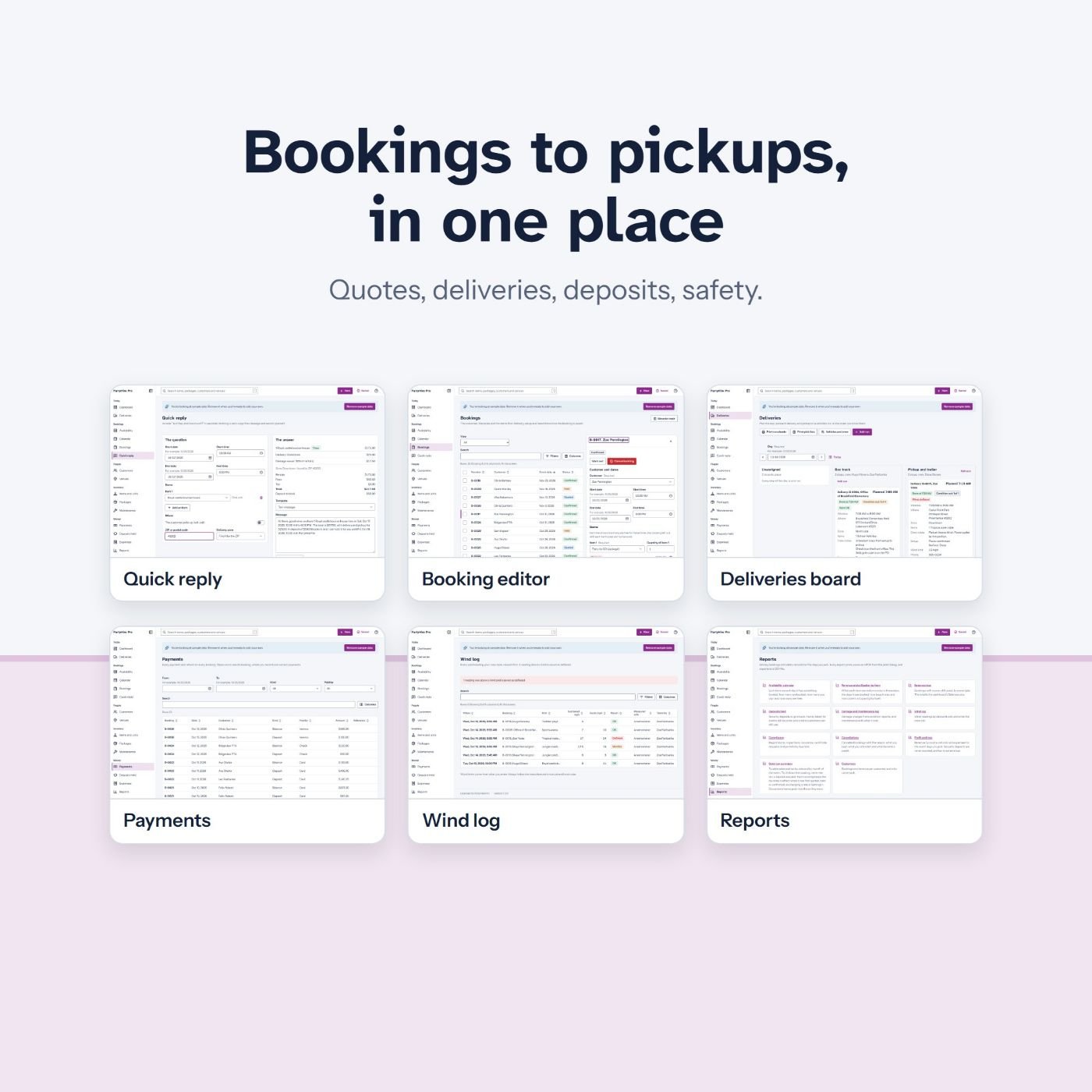
PartyHire Pro: Bookings to pickups, in one place 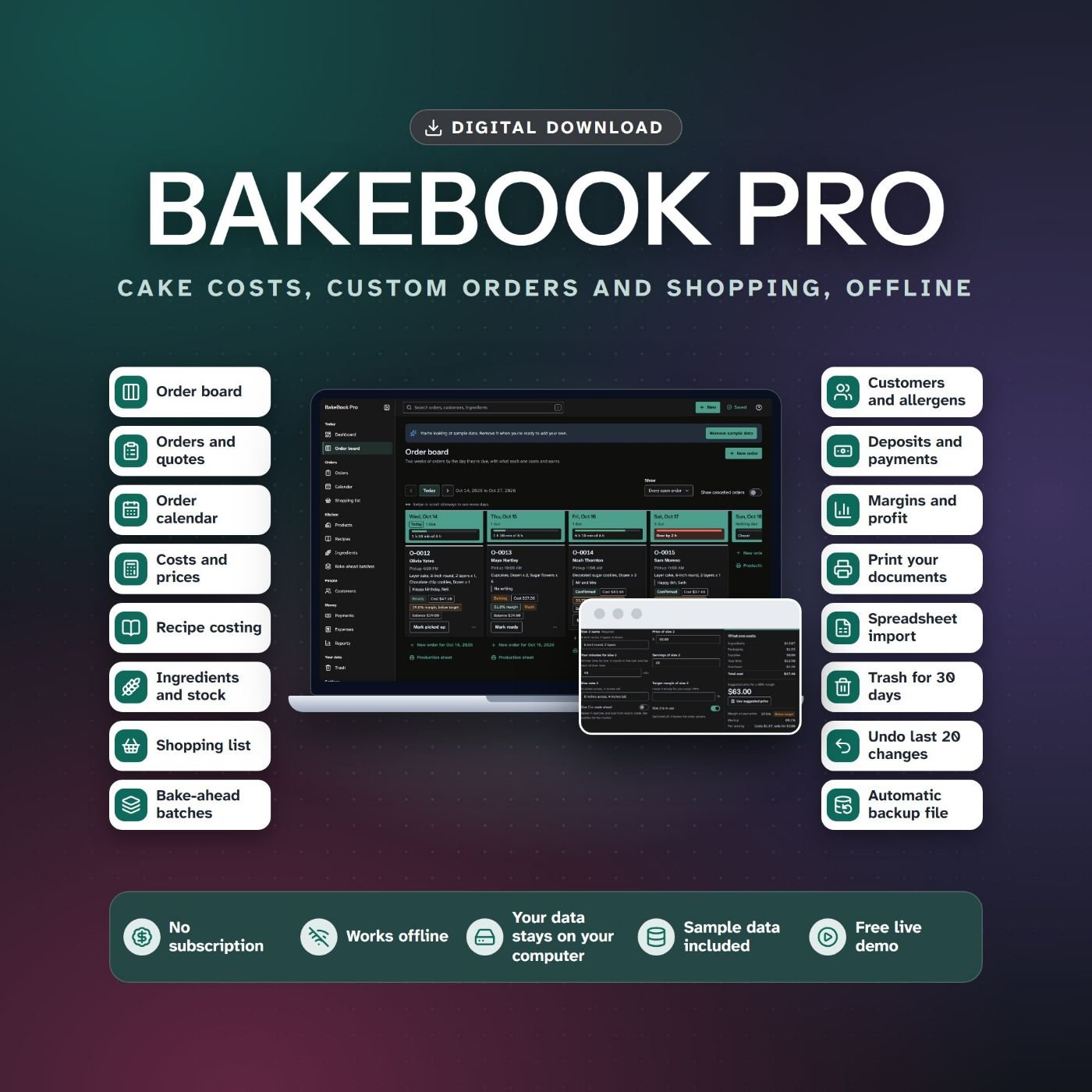
BakeBook Pro: BakeBook Pro 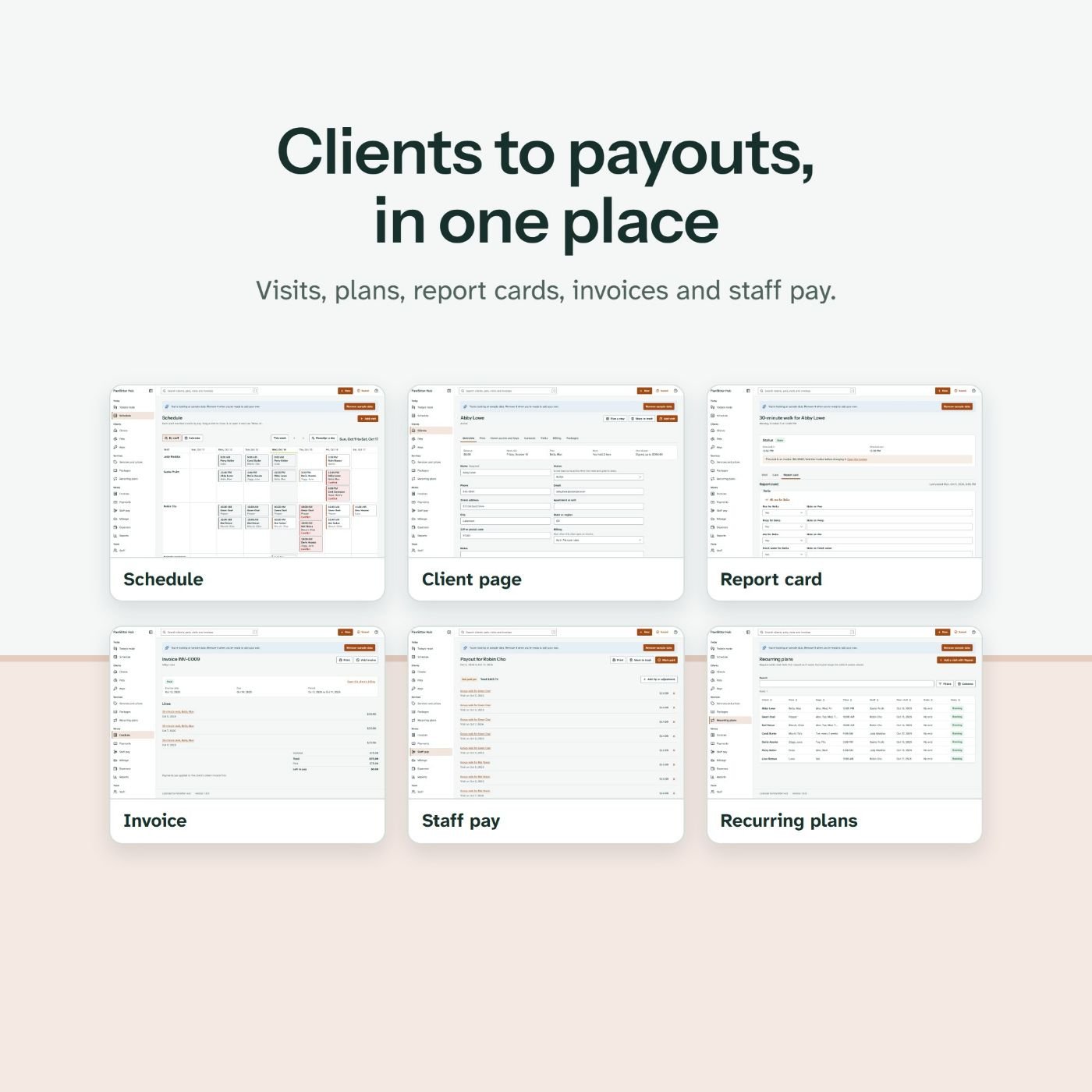
PawSitter Hub: Clients to payouts, in one place
Launch calendar
Before launch
Request your link on WarriorPlus. Open the live demos, read the sales page and the license, and load your swipes.
Launch day: October 28, 2026
The sales page and the whole funnel go live. Send swipe 1.
Day 2
Send swipe 2, the demo email.
Day 3
Send swipe 3, how the rebrand works.
Day 4
Send swipe 4, the trades the apps are for.
Day 5
Send swipe 5, what the apps do not do.
Day 6
Send swipe 6, your last note.
After that
The offer stays open. There is no cart close and no price rise date. If that ever changes, this page will say so first.
Rules for affiliates
These rules protect your readers, and our WarriorPlus account. Breaking them can end your approval and the commissions on the sales concerned.
No income claims
Do not promise or suggest earnings. No income screenshots and no make-money-fast lines. The product makes no income claims, and neither may you.
No fake urgency
No countdown timers, no price-goes-up-tonight lines, no claims of limited copies. There is no deadline unless this page publishes a real date.
No invented reviews
Do not invent testimonials, results or reviews. Your own honest opinion, after you have looked at the product, is welcome.
Disclose your link
Say that you earn a commission, as the FTC and similar rules where you live require.
Mail only people who asked
Send only to your own opt-in list. No spam, no bought lists, no unsolicited messages. Follow CAN-SPAM, GDPR and the rules of your email provider.
Describe what is there
Do not promise phone or tablet use of the downloaded apps, sync between devices, a passcode, a plugin system, source code in the front-end, or any feature the apps do not have.
No marketplace promises
Do not tell people they can sell the apps on a particular marketplace. Every marketplace has its own rules, and some restrict the resale of digital products made by someone else.
No brand bidding
Do not bid on Offline Apps Fortune or our domain in paid search, and do not register domains or social accounts with our brand name.
No self-buying or tricks
Do not buy through your own link, use cookie stuffing or offer cash back for sales. Commissions on such sales are reversed.
Your own bonuses only
A bonus must be yours to give, real, and delivered by you. Never give away our files, our upgrades or copies of the apps as a bonus.
Refunds reverse commissions
When a buyer gets a refund, WarriorPlus takes the commission back. Please never talk a buyer out of a refund.
Ask when unsure
If you are not sure a line is allowed, send it to support@offlineappsfortune.com before you mail it.
Support
Support for affiliates
Write to support@offlineappsfortune.com with Affiliate in the subject line. We answer questions about the product, the funnel and your swipes, and we aim to answer within 2 business days.
For a review, start with the live demos: they are the full apps with sample data. If you need more for an honest review, say so in your email.
Affiliate questions
How much do I earn per sale?
75 percent of each front-end sale and 50 percent of every other offer in the funnel, on the sales that WarriorPlus credits to your link.
How and when am I paid?
WarriorPlus pays commissions to the payout account in your WarriorPlus profile, under the payout settings shown on the offer.
Do I need approval?
Yes. Request your link on WarriorPlus. The owner approves requests there.
Are there contests or prizes?
Not for this launch.
Do you have conversion figures?
No. This is the first launch of Offline Apps Fortune, so there are no conversion rates or earnings per click yet. We will not invent them.
Can I offer my own bonus?
Yes, if it is yours, it is real and you deliver it yourself. Never our files or our upgrades.
Can I run paid ads?
Yes, within the ad network's rules and ours: no bidding on Offline Apps Fortune or our domain, and no claims the sales page does not make.
Is there a deadline or a price rise?
No. There is no deadline and no price rise date, so please do not mention one.
Where do buyers get support?
By email at support@offlineappsfortune.com. Every offer has a 30 day refund.
Ready to promote Offline Apps Fortune?
Request your link on WarriorPlus, open the demos, then pick the swipes that fit your list.
Questions first? Write to support@offlineappsfortune.com.
TODO: set offers.fe.affiliateUrl in product.json (Offline Apps Fortune). This note is not in a production build.